
ID Maker by IDville

What is a One-Box System
Everything you need to start an ID card program in one box. Includes the printer, design software, webcam, backdrop, and supplies.

How to Choose the Right ID Card Printer
Five questions to ask to reveal the perfect ID Maker.

The IDville Difference
IDville is more than a printer, we are a partner.

The Most Reliable ID Card Printer
This is the most reliable and easy-to-use ID card printer, but is it the right one for you?
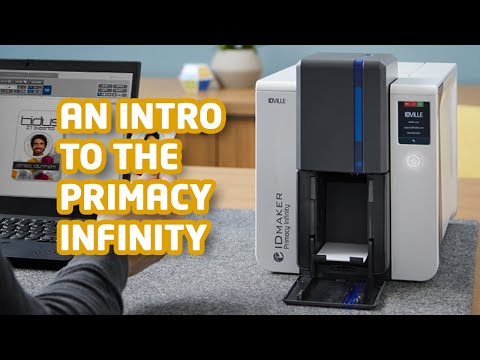
Introducing the ID Maker Infinity
Learn all about the features of the ID Maker Infinity printer.

Introducing the ID Maker Zenius Touch
Learn all about the features of the ID Maker Zenius Touch printer.

Introducing the ID Maker Edge
Learn all about the features of the ID Maker Edge printer.

Introducing the ID Maker Apex
Learn all about the features of the ID Maker Apex printer.
ID Maker 3.0 Card Design Software

ID Maker 3.0 Demo
A beginners guide to everything ID Maker can do.
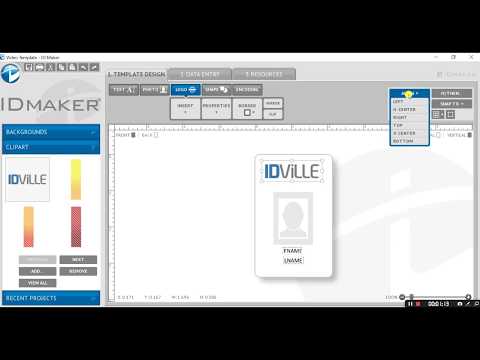
How to Add a Logo
How to start your ID card design and add a logo.

How to Add a Background
Use a pre-designed background or upload your own.

How to Encode Magnetic Stripes
Use ID Maker 3.0 to encode your Mag stripe cards.

How to Encode QR codes and Barcodes
Use ID Maker 3.0 to encode your QR codes and Bar codes.

Design an ID Badge from Start to Finish
Check out this tutorial and see how easy it is to create a modern ID Badge with ID Maker 3.0.
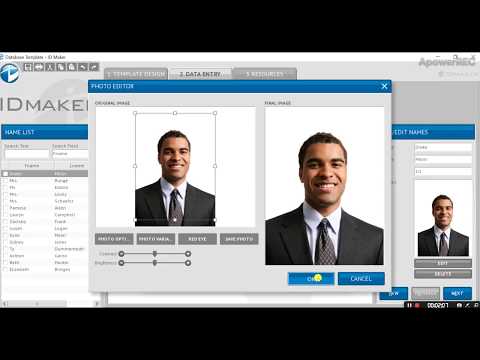
Uploading your Database
Learn how to upload your database into ID Maker 3.0.

Creating a Database Ready Card Template
Learn how to create a branded ID card template ready for your database import and batch printing ID Maker 3.0.

Creating a Dual-Sided ID Card
Learn how to switch from a single-sided ID card to a dual-sided ID card design with ID Maker 3.0.
ID Maker Printer Maintenance

ID Maker Infinity Ribbon Change
Learn how to change the ribbon on your ID Maker Infinity printer.

ID Maker Infinity Cleaning
Learn how to clean your ID Maker Infinity printer.

ID Maker Apex Ribbon Change
Learn how to change the ribbon on your ID Maker Apex printer.

ID Maker Apex Cleaning
Learn how to clean your ID Maker Apex printer.

ID Maker Edge Ribbon Change
Learn how to change the ribbon on your ID Maker Edge printer.
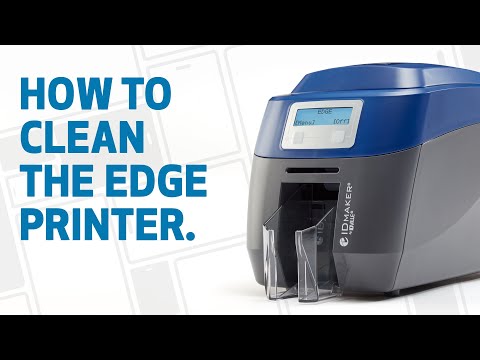
ID Maker Edge Cleaning
Learn how to clean your ID Maker Edge printer.

ID Maker Primacy Ribbon Change
Learn how to change the ribbon on your ID Maker Primacy printer.

ID Maker Primacy Cleaning
Learn how to clean your ID Maker Primacy printer.

ID Maker Advantage Ribbon Change
Learn how to change the ribbon on your ID Maker Advantage printer.

ID Maker Advantage Cleaning
Learn how to clean your ID Maker Advantage printer.

ID Maker Value Ribbon Change
Learn how to change the ribbon on your ID Maker Value printer.

ID Maker Zenius Ribbon Change
Learn how to change the ribbon on your ID Maker Zenius printer

ID Maker Secure Ribbon Change
Learn how to change the ribbon on your ID Maker Secure printer